All tutorials
Tutorial · Monetization
How to share a single product
Talking about one product? Share just that one, with your link already in it.
What you'll learn
- Where the product's share button is
- What link the person receives
-
1STEP ONE
Tap share on the product.
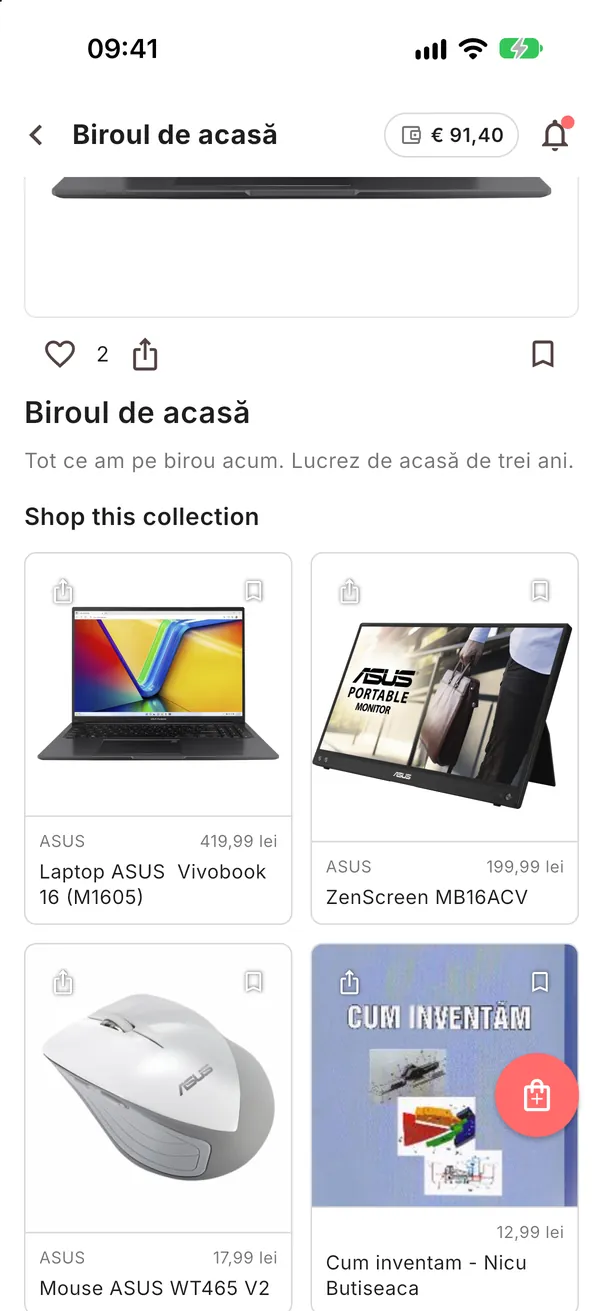
In your Collection, tap the small share icon at the top left of the product's picture and choose the app to send it with.
-
2STEP TWO
They go straight to the shop.
The link already carries your tracking, so a purchase from it counts for you, just like from your Collection.