Sharing your collection is how you start earning. Every time someone buys through your link, you get a commission — so the more you share, the more you can earn.
Maria Popescu
Creator Success Lead
What you'll learn
How to find the Share button on your collection
How to copy your unique affiliate link
Where to paste your link to reach the most followers
Why you should never share someone else's link
1
STEP ONE
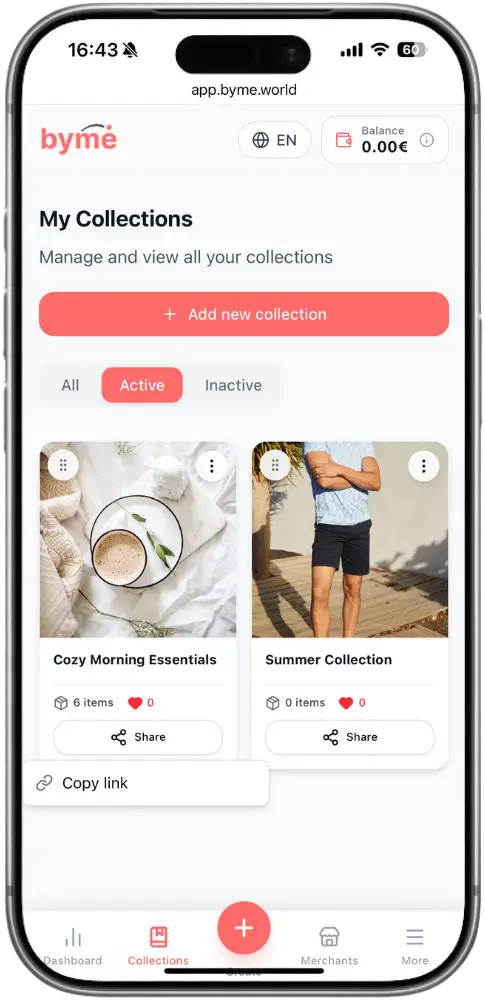
Go to My Collections and find your collection.
Open the app and tap Collections in the bottom navigation bar. You’ll see all your collections listed here.
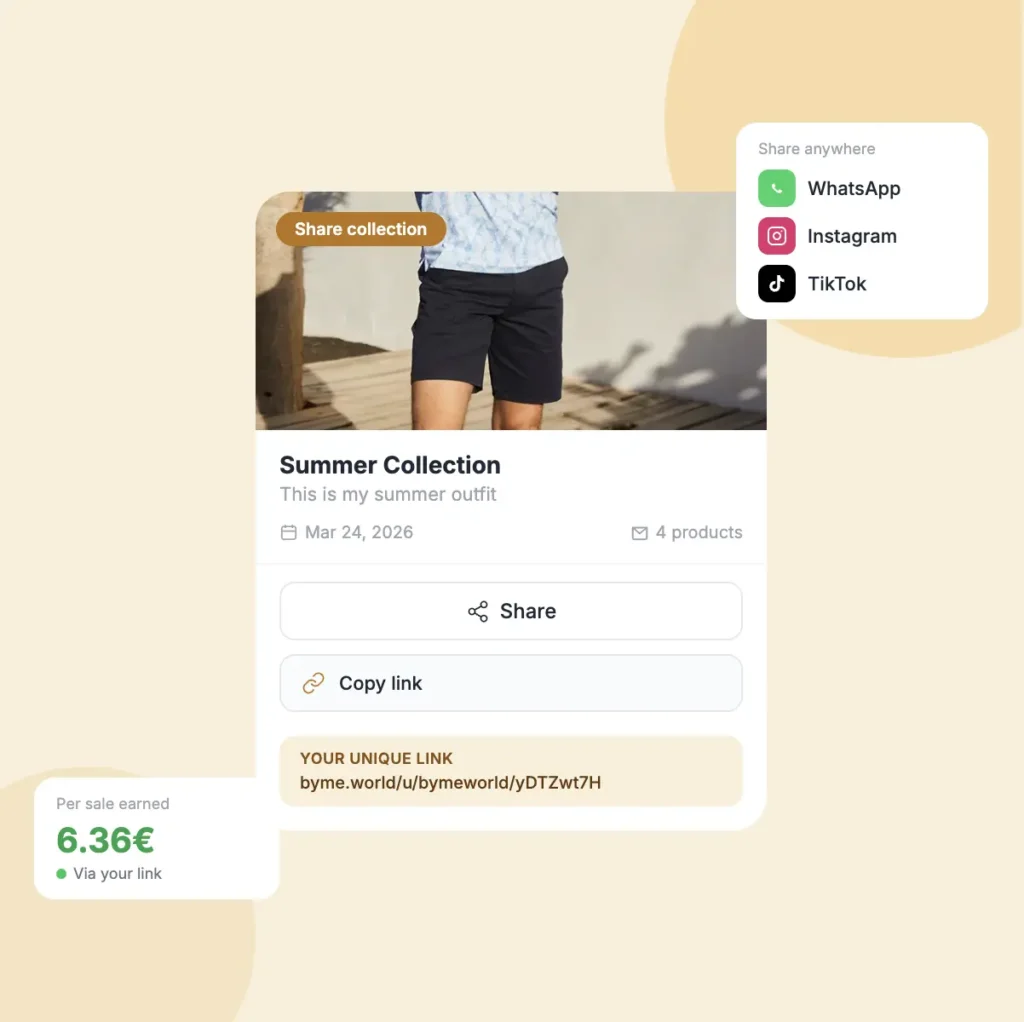
Each collection card shows the name, date, number of products, and a Share button
Make sure your collection has products in it before sharing — an empty collection won't earn you anything
Find the collection you want to share and look for the Share button at the bottom of the card
2
STEP TWO
Tap Share, then Copy link.
Tap the Share button at the bottom of the collection card. A small menu will appear with the option to copy your link.
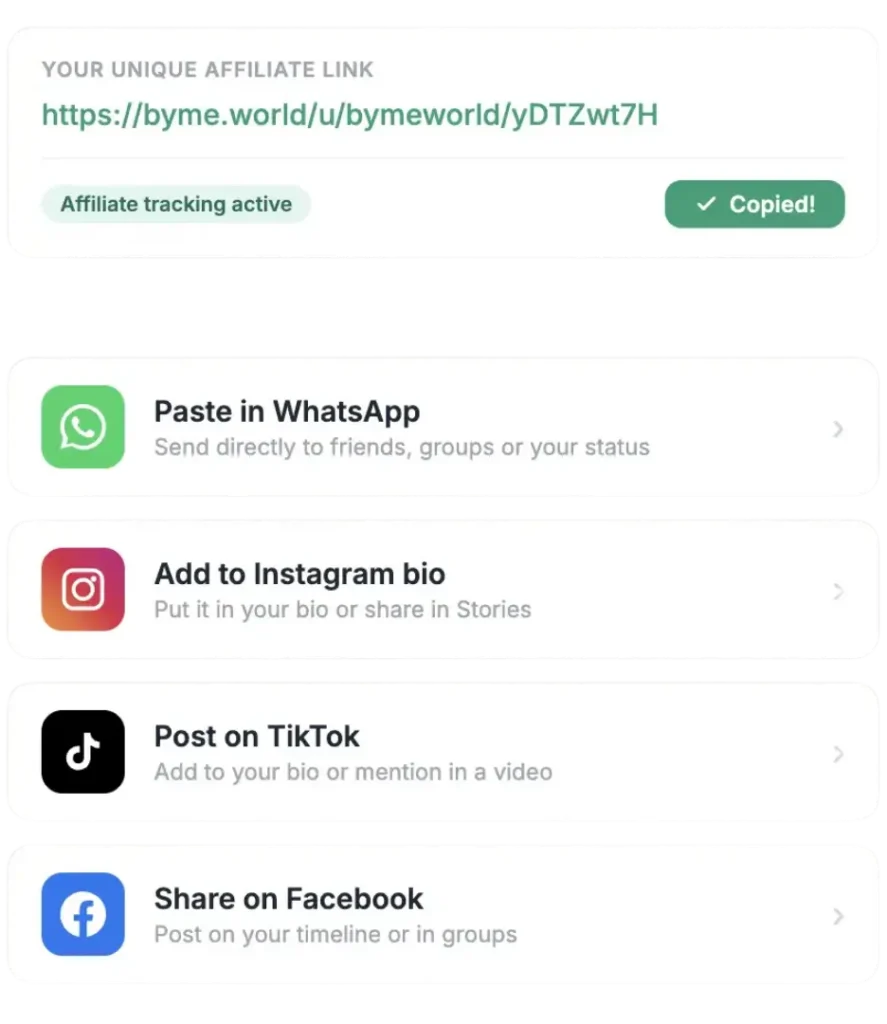
Tap Copy link to copy your unique collection link to your clipboard
The link is copied instantly — you'll see a confirmation on screen
Your link has your ID built in — it tracks your affiliate sales so every purchase through it earns you a commission
Warning
Never share someone else's link — only your own link tracks your sales and earns you commissions.
3
STEP THREE
Paste your link wherever your followers are.
Once the link is copied, you can paste it anywhere your followers can see it. There are no restrictions on where you share it.
Instagram — paste it in your bio or story link
WhatsApp — send it directly to friends or groups
TikTok — add it to your bio or mention it in a video
Facebook, Telegram, email — anywhere works
The more places you share it, the more people will visit and buy
Related tutorials
Short, clear, practical guides. Learn how the platform works, how to grow your earnings, and how to manage your collections.