Tutorial

Updated April 7, 2026
How to check your Balance
You’ve been earning — now let’s make sure you know exactly where your money is, what it means, and how to get it paid out to your bank account.

Your Balance

Where all your lifetime earnings live — separate from the dashboard overview

01

Open the Balance Breakdown

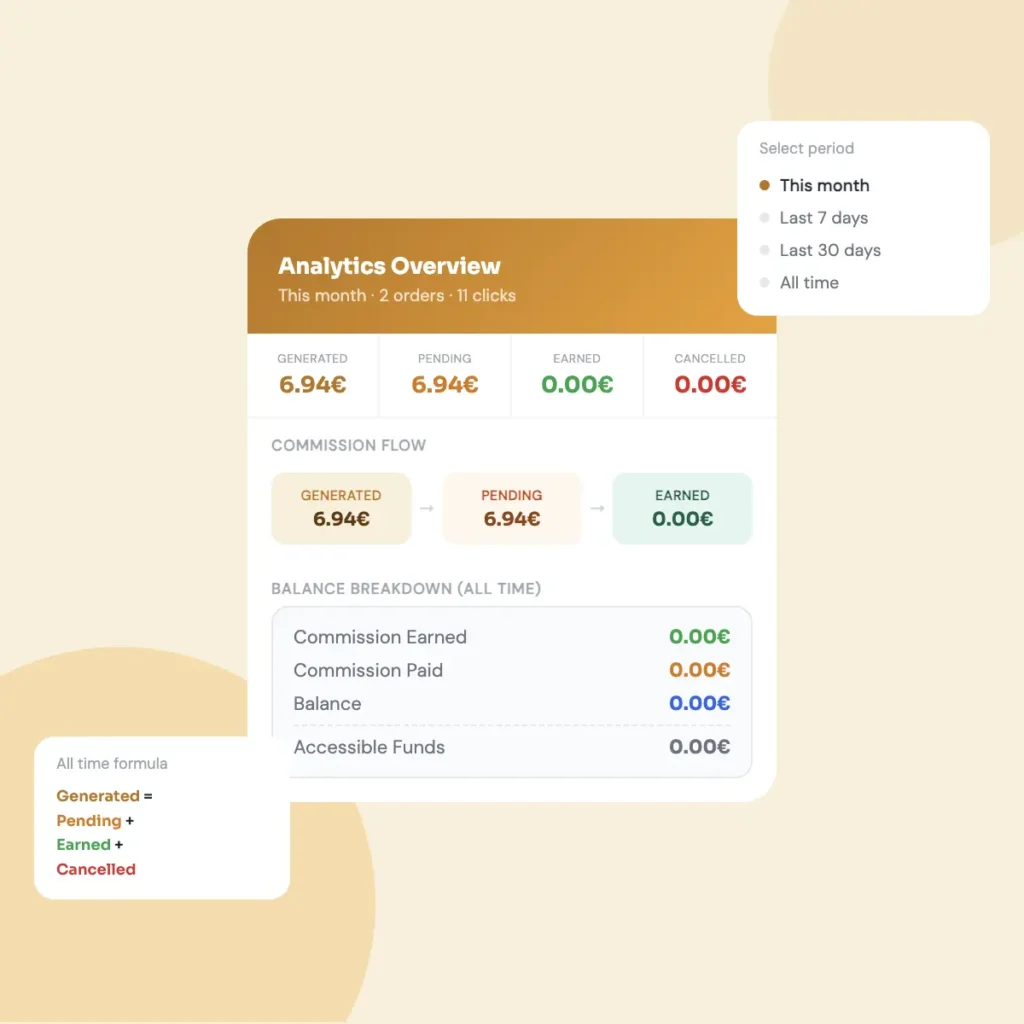
Tap the wallet icon at the top of the app. A popup will appear showing a full breakdown of all the money you’ve ever earned on ByMe.

  • This is not filtered by any date — it shows everything since you first joined
  • It’s different from the dashboard, which lets you pick a time period
  • Think of this as your all-time bank statement on ByMe

02

What each number means

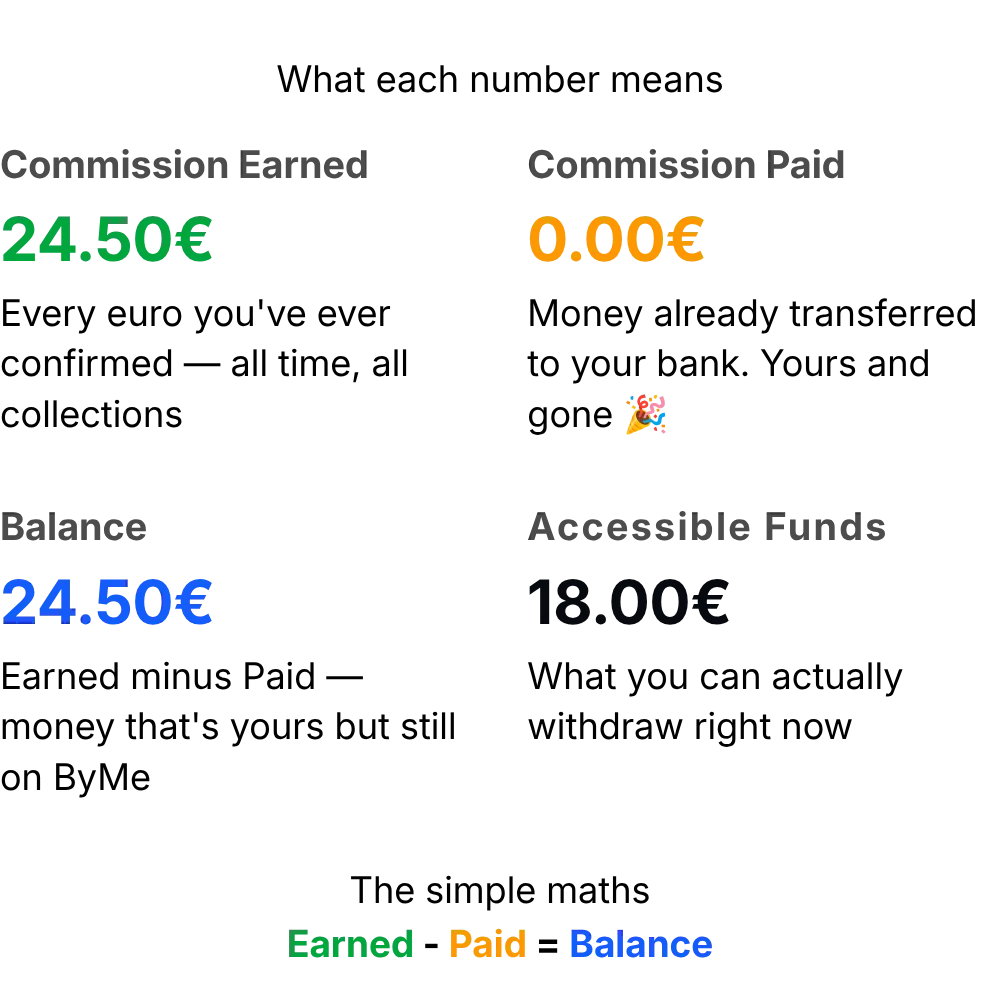
There are four lines in the Balance Breakdown. Each one tells you something specific about your money.

  • Commission Earned — the total amount confirmed from all your sales ever. This number only goes up
  • Commission Paid — money ByMe has already sent to your bank account
  • Balance — what’s left after subtracting paid. This is your money sitting on ByMe
  • Accessible Funds — the amount you can withdraw right now. This can be less than your Balance — see the next step to understand why

03

Why Accessible Funds is less than Balance

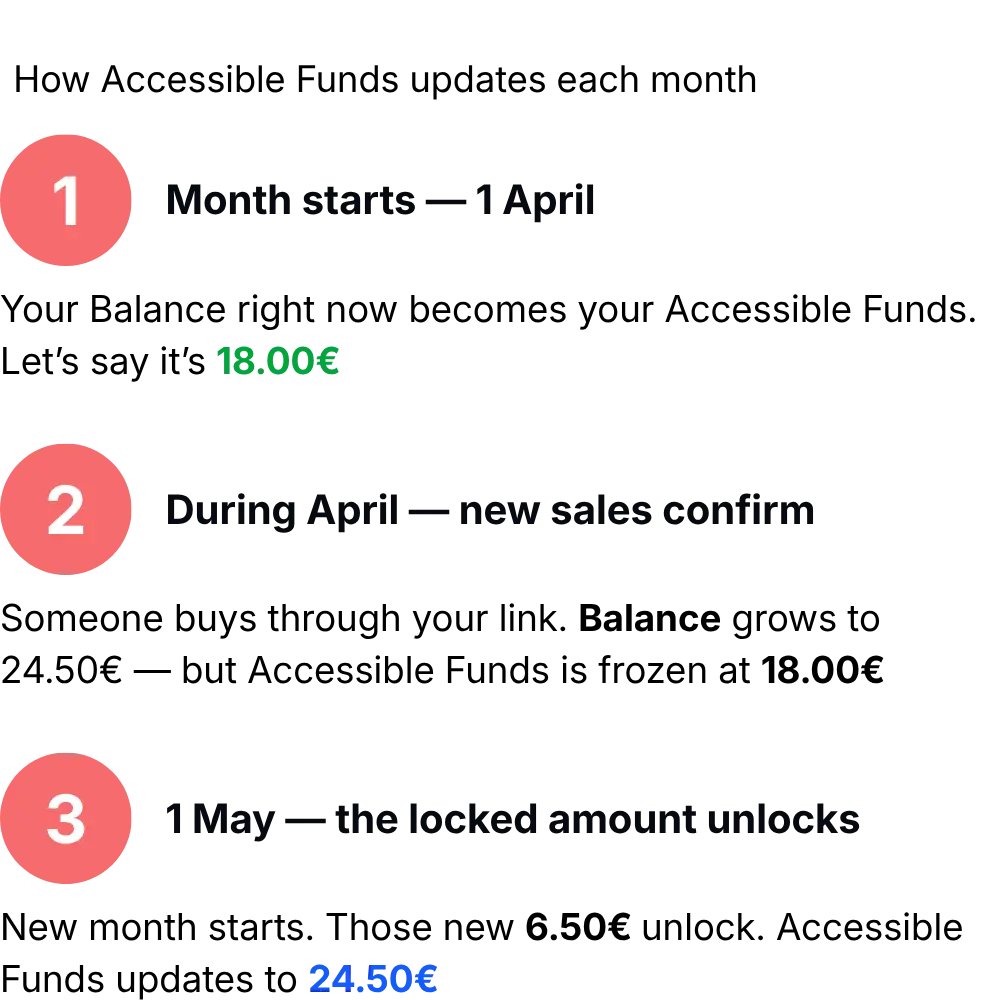
This trips a lot of people up. Your Balance can be bigger than Accessible Funds — and that’s totally normal.

  • At the start of each month, ByMe “locks in” your current Balance as your Accessible Funds
  • Any new sales that confirm during the month sit in Balance but not in Accessible Funds yet
  • On the 1st of next month, those new earnings unlock and become accessible
Accesible funds path

Related Tutorials

Continue learning with these helpful guides

Link works cover

How your special link works

Every time you share a collection or a product, you share a unique link that belongs only to you. Here's exactly how it works and why it matters for your earnings.
April 7, 2026

Read Tutorial

How to share your collection with your followers

Sharing your collection is how you start earning. Every time someone buys through your link, you get a commission — so the more you share, the more you can earn.
April 7, 2026

Read Tutorial

Delete collection cover

How to delete a whole collection

Deleting a collection permanently removes it and all its products from your active feed. ByMe has a two-step confirmation to make sure it's never done by accident.
April 7, 2026

Read Tutorial

Delete product cover

How to delete a product from a collection

Removing a product from your collection takes just two taps. Here's what happens when you delete one — and what you need to know before you do it.
April 7, 2026

Read Tutorial

add_product_cover

How to add a product using a link (URL)

Adding a product to your collection is as simple as copying a link from any supported online store and pasting it into ByMe. Here's exactly how it works.
April 7, 2026

Read Tutorial

Create-collection

How to create your first collection

Creating a collection takes less than a minute. Give it a name, add a description and a cover photo — and you're ready to start adding products.
April 5, 2026

Read Tutorial