Creator Success Lead
1
STEP ONE
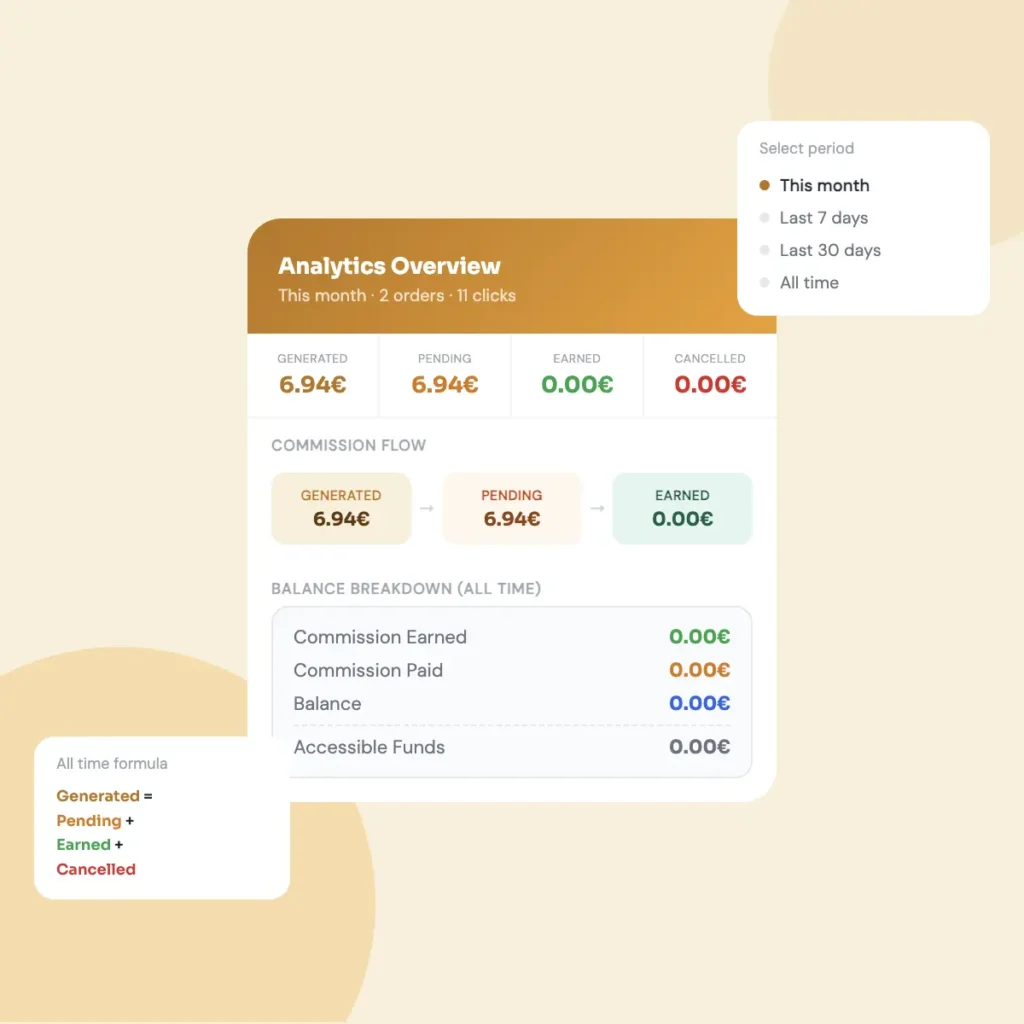
Open the Balance Breakdown.
Tap the wallet icon at the top of the app. A popup will appear showing a full breakdown of all the money you’ve ever earned on ByMe.
2
STEP TWO
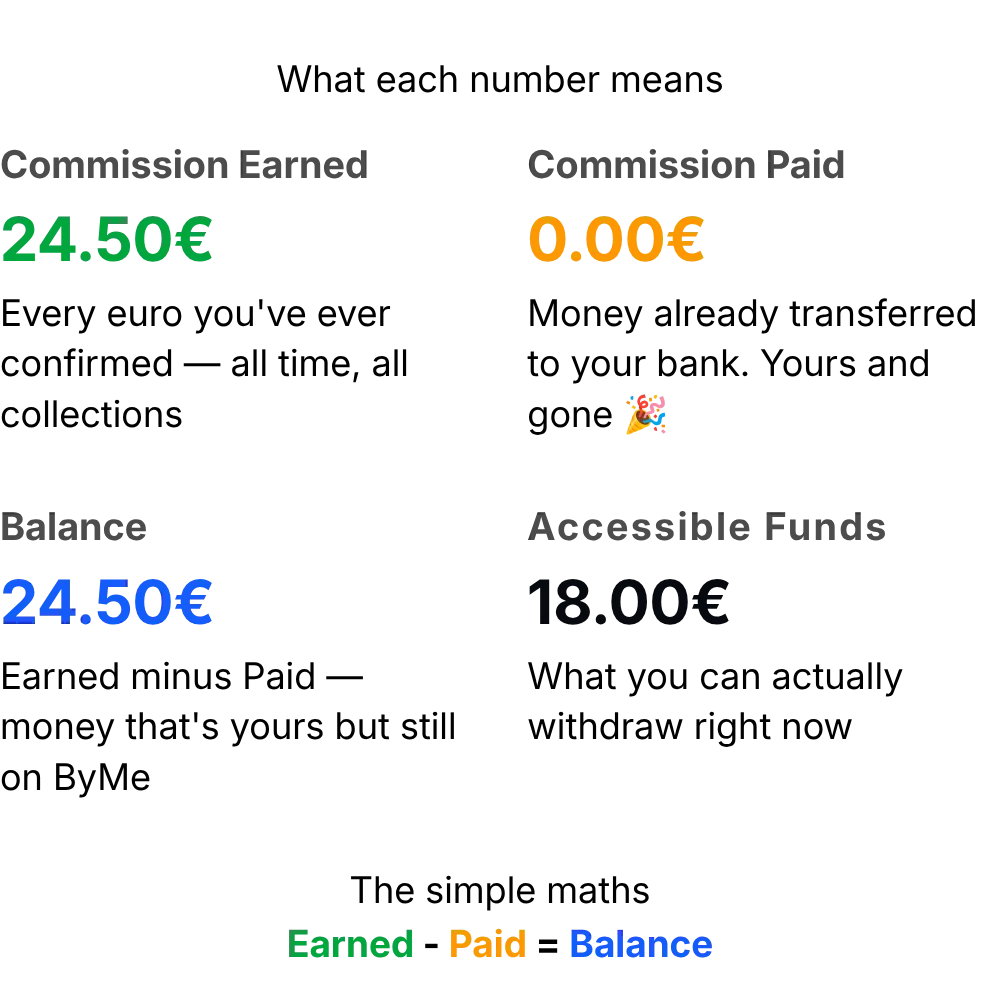
What each number means.
There are four lines in the Balance Breakdown. Each one tells you something specific about your money.
3
STEP THREE
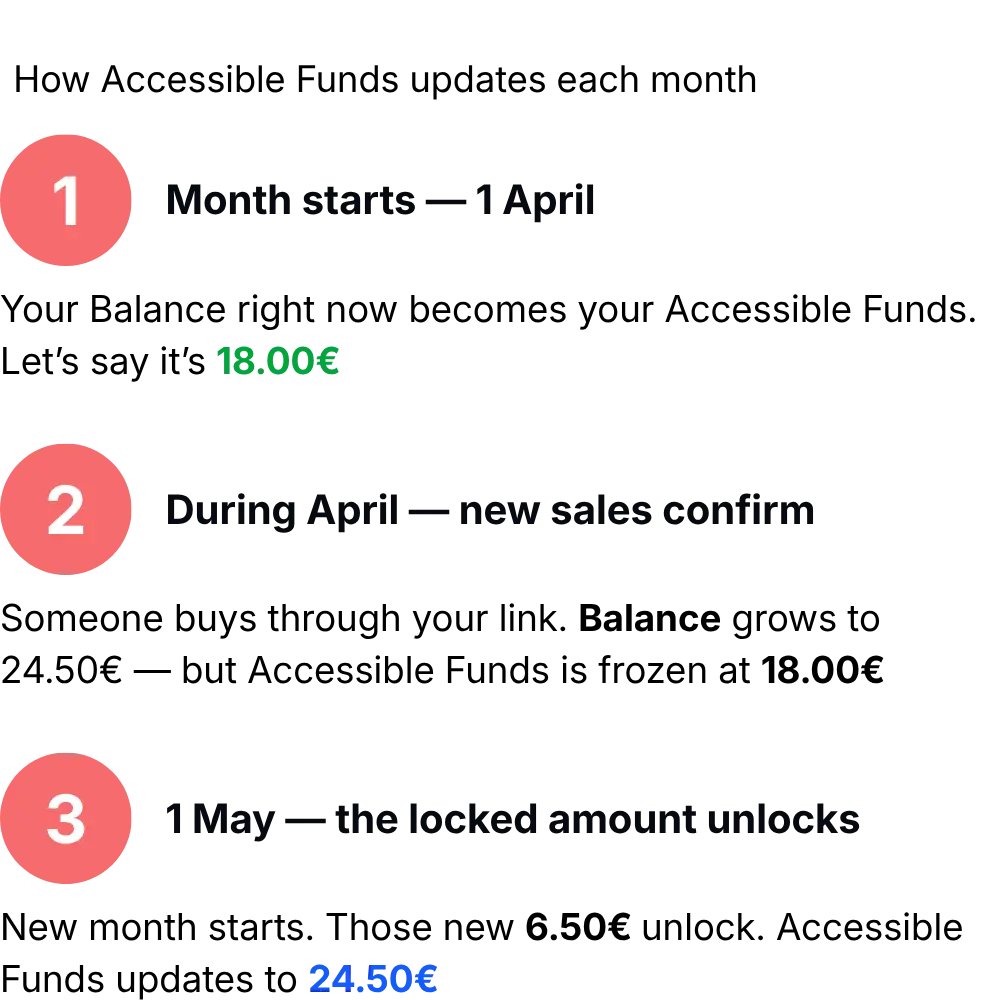
Why Accessible Funds is less than Balance.
This trips a lot of people up. Your Balance can be bigger than Accessible Funds — and that’s totally normal.
Related tutorials
Short, clear, practical guides. Learn how the platform works, how to grow your earnings, and how to manage your collections.
All resources ->
Read