
1
STEP ONE
Open your dashboard.
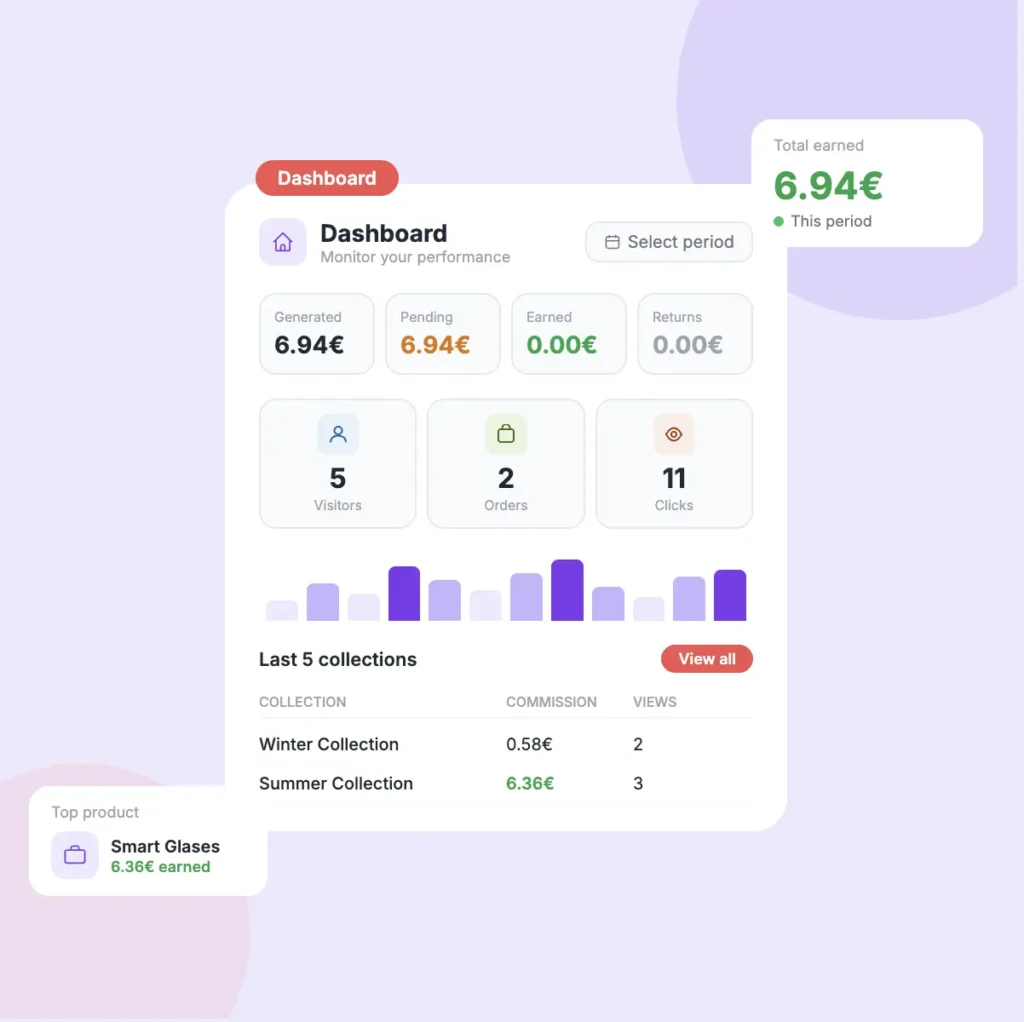
Your dashboard is the home screen of your ByMe account — the place every click, view, and euro lands. Sign in and you’re already there.
- Every number updates in real time — no refresh button to hunt for.
- From anywhere in the app. the Dashboard is one click away
- Bookmark it and check it twice a day.

2
STEP TWO
The four money boxes.
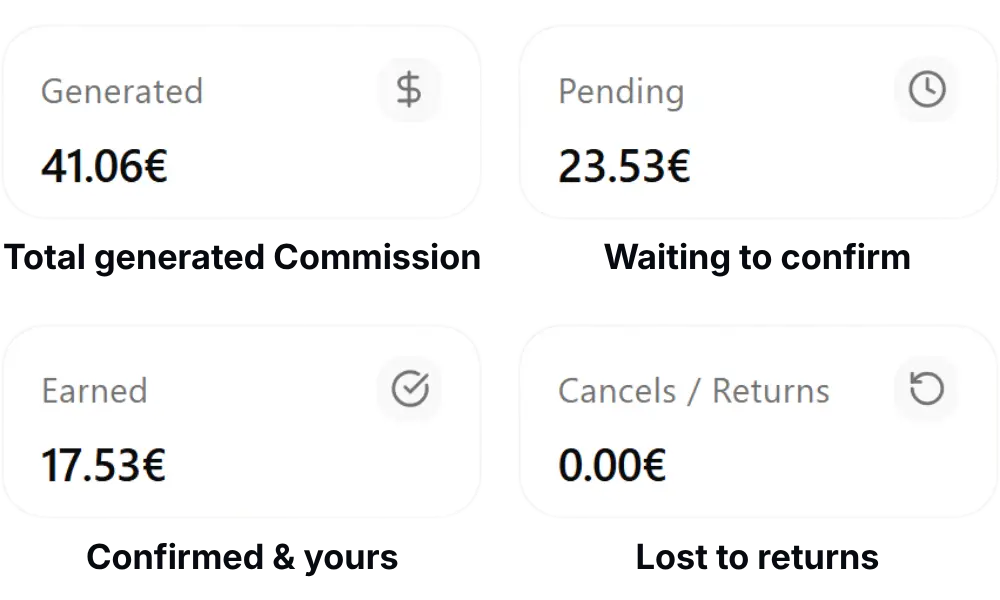
The four boxes across the top tell the story of every euro you earn — from the moment a sale is generated to the moment it lands in your account. Read them left to right.
- Generated — the total commission your links generated during the selected time period.
- Pending — money you earned, but the merchant hasn’t confirmed it yet
- Earned — confirmed money that is ready to be paid to you
- Cancels / Returns — money you lost because a buyer returned a product
The quick math your eyes should run: Earned + Pending − Cancels = your true balance.
Good to know
Generated is the headline number — but it includes Pending, so don't double-count. When you're planning what to actually spend, use Earned.
3
STEP THREE
Read your traffic
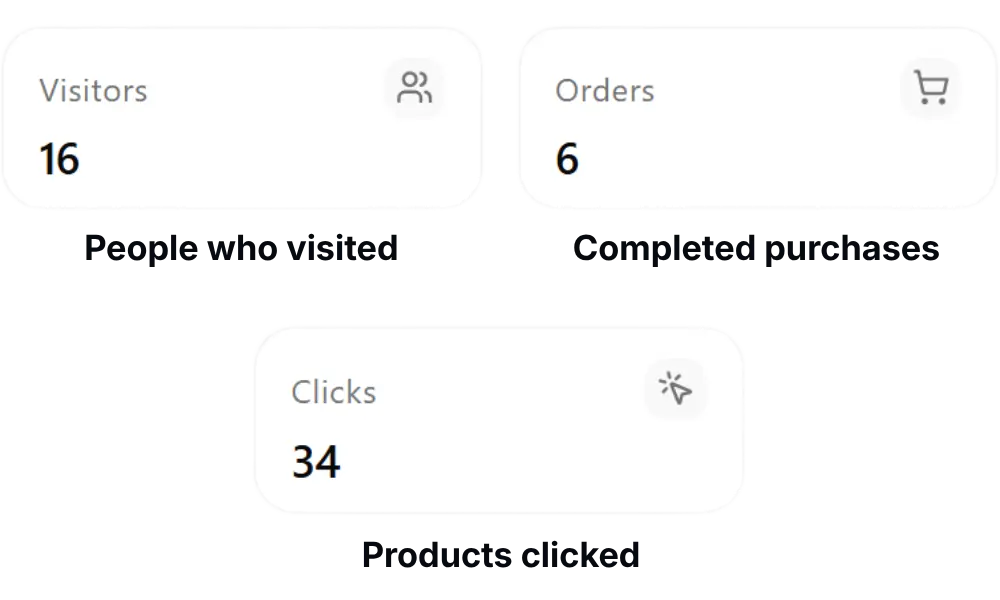
Money is the lagging indicator. Traffic is the leading one. These three numbers tell you whether people are showing up, what they’re touching, and what they’re buying.
- Visitors — people who opened your collection page
- Orders — the number of purchases made through your links
- Clicks — total product clicks inside your collections
Clicks are almost always higher than visitors — each visitor often taps two or three products. That’s healthy curiosity, not a bug.
The 10-to-1 rule
A healthy ratio is roughly 10 visitors per 1 order. Higher than 10? You're undersharing — the audience is interested but small. Lower? Your product mix probably needs a refresh.
4
STEP FOUR
Read your collections table
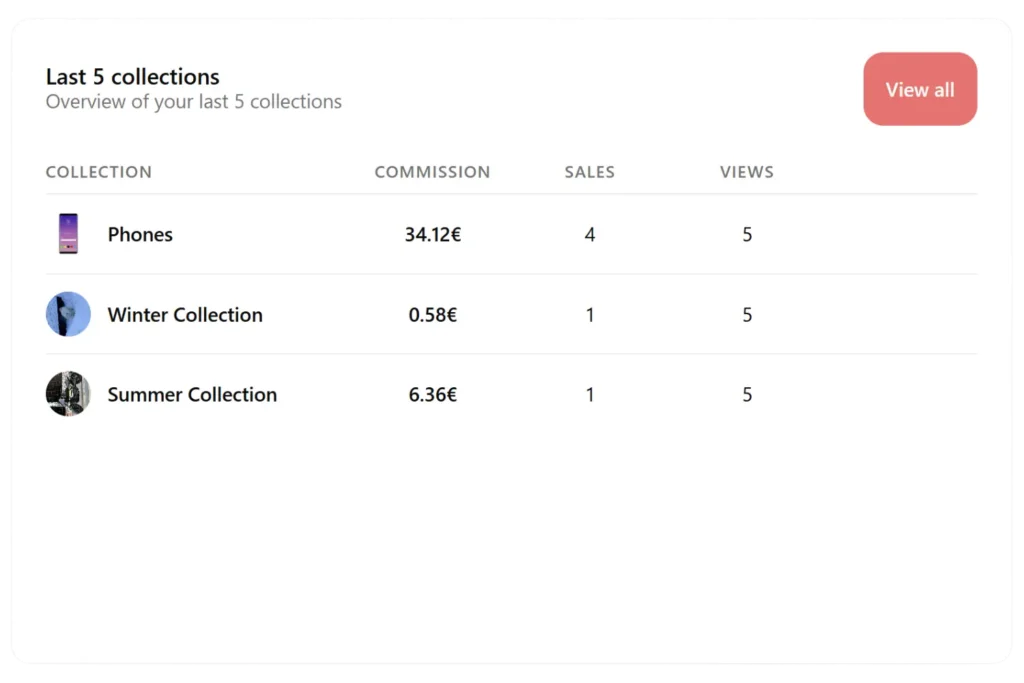
This table shows your most recent 5 collections and how each one is performing. Use it to quickly spot which collections are earning the most.
- Commission — how much money that collection has generated you
- Sales — number of products bought from that collection
- Views — how many people opened the collection
- Click View all to see every collection you’ve ever made
Pattern to watch
If a Collection has 10k+ views but only a handful of sales, the products are probably wrong for that audience — not the audience itself. Swap two or three items, don't scrap the Collection.
5
STEP FIVE
Discover your best products
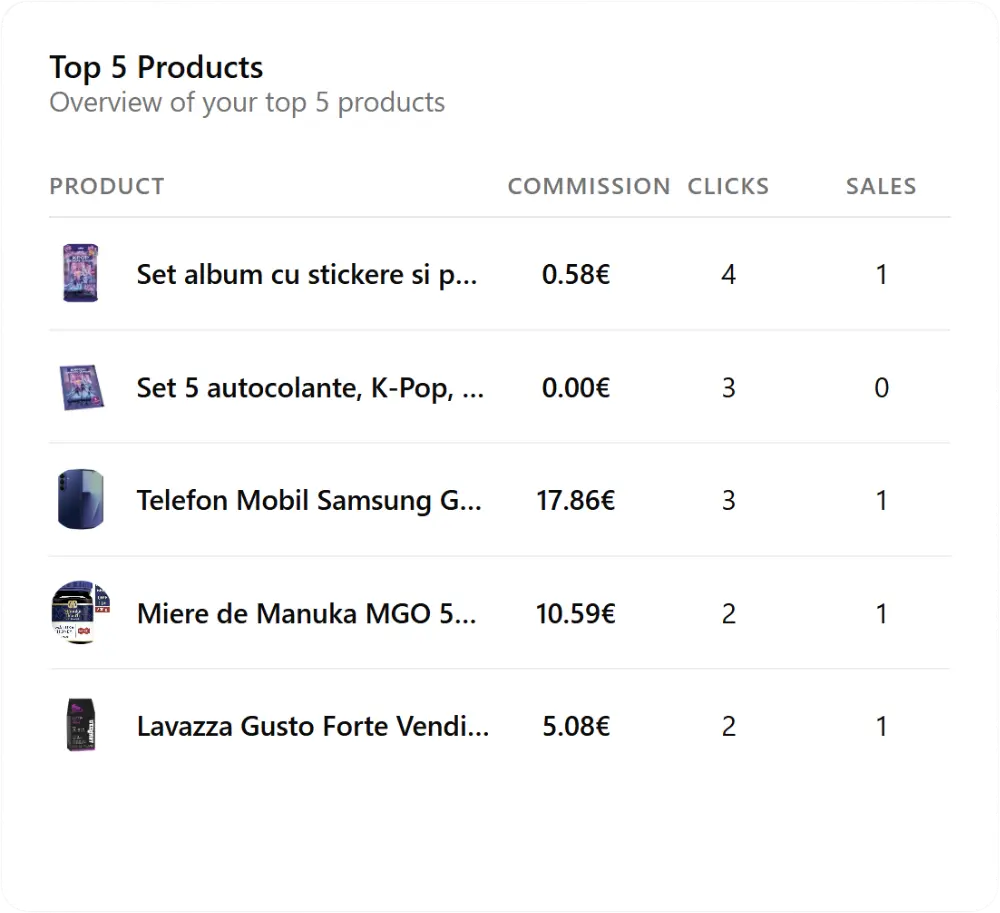
The Top 5 panel surfaces the individual products doing the heavy lifting — not the Collections, the items. This is where you find the bestsellers hiding inside otherwise-quiet Collections.
- Use this to understand what your audience actually buys
- Add top-performing products to more collections to earn more
- Products with high clicks but no sales may need a better description or price